
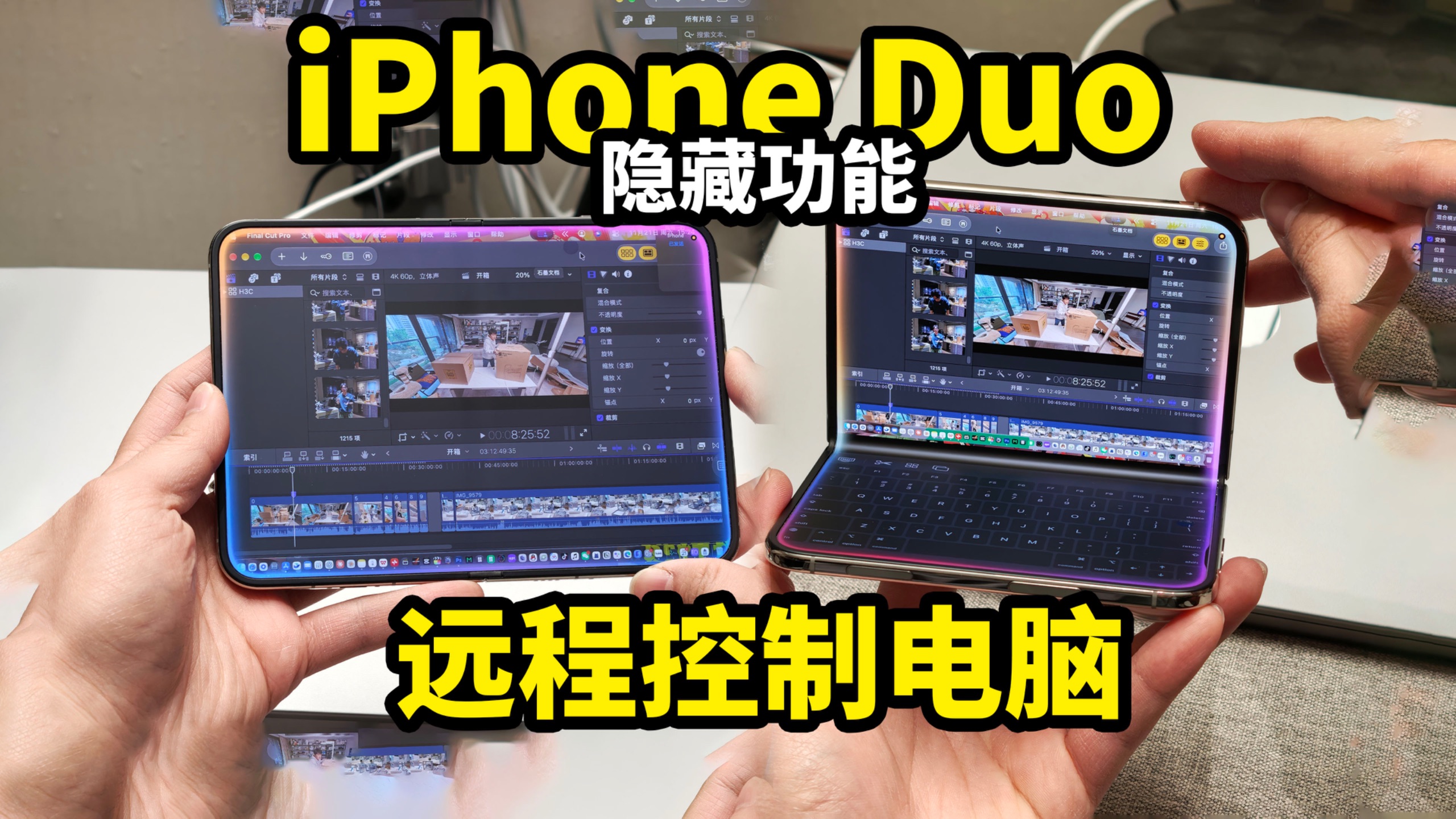
Oh my god, I've discovered an absolutely mind-blowing trick with an iPhone. This is my computer, and when I open this app on my phone and select the computer, wait a moment—look, my computer screen has gone black. So at this point, my phone has become the computer. And that's not all—this phone isn't controlled by touching the screen directly. Instead, the entire screen acts as your trackpad, turning into a giant trackpad. Double-tap—the operation logic is exactly the same. And see that? My video editing software still displays normally, because it's essentially extending my computer. And it's still not over—when we turn it to portrait mode, see that?
It automatically adapts to find the optimal screen ratio, fitting perfectly. Landscape mode works the same way—turn it sideways and it adapts, finding the best ratio. And there's still more. Let's go back to the desktop—see that? You really can get back to the desktop. When we fold it over, the upper half of the screen automatically becomes a half-screen computer, and the lower half becomes your keyboard. Long-pressing the space bar also turns it into a trackpad, with exactly the same functionality, right? And it's still not over—when we fold it down, the outer screen adapts as well, just like the original public version. And it's still not over. At this point, if we swipe it down,
you'll see it turn into a small window. Once it's a small window, you can keep it docked on the side at any time, or in portrait mode, open an app and dock it at the top to create a top-and-bottom split screen. And even now, it's still not over. Because the adaptive design is done so well, when you swipe it to the left, it can also turn into a standalone computer control page on the left half of the screen. The control method stays exactly the same—unchanged—and everything works normally. On the right side, you can open whatever app you like. Pretty interesting, right? Sharing this with everyone.